
Model and quantity
Include the full model, manufacturer P/N, revision and quantity.
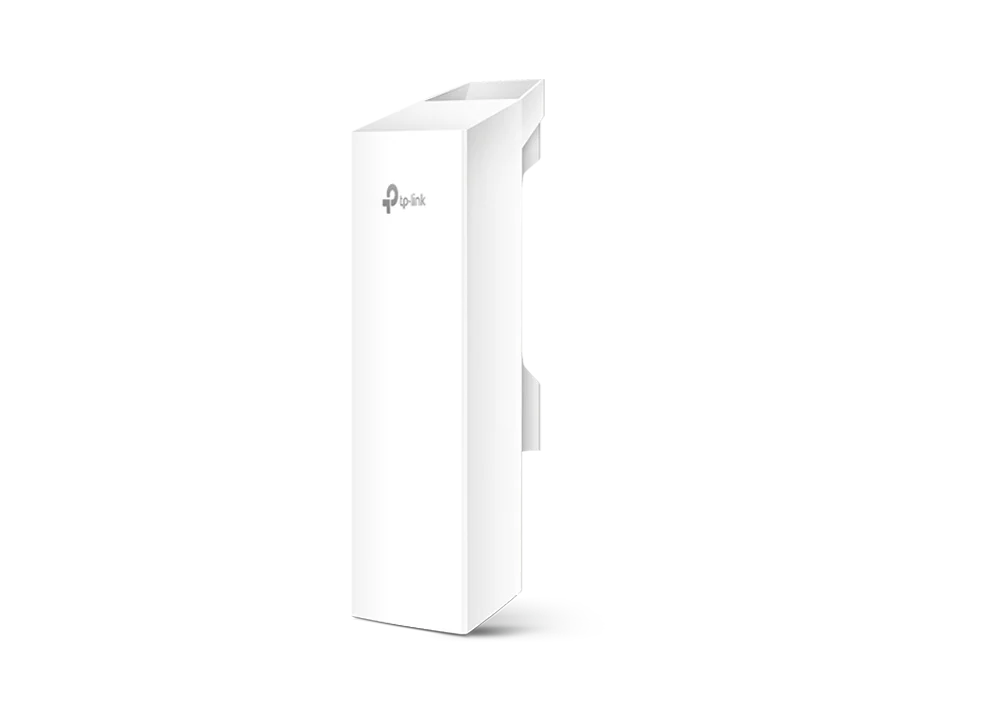
TP-Link / Network Accessory
Manufacturer P/N: CPE220
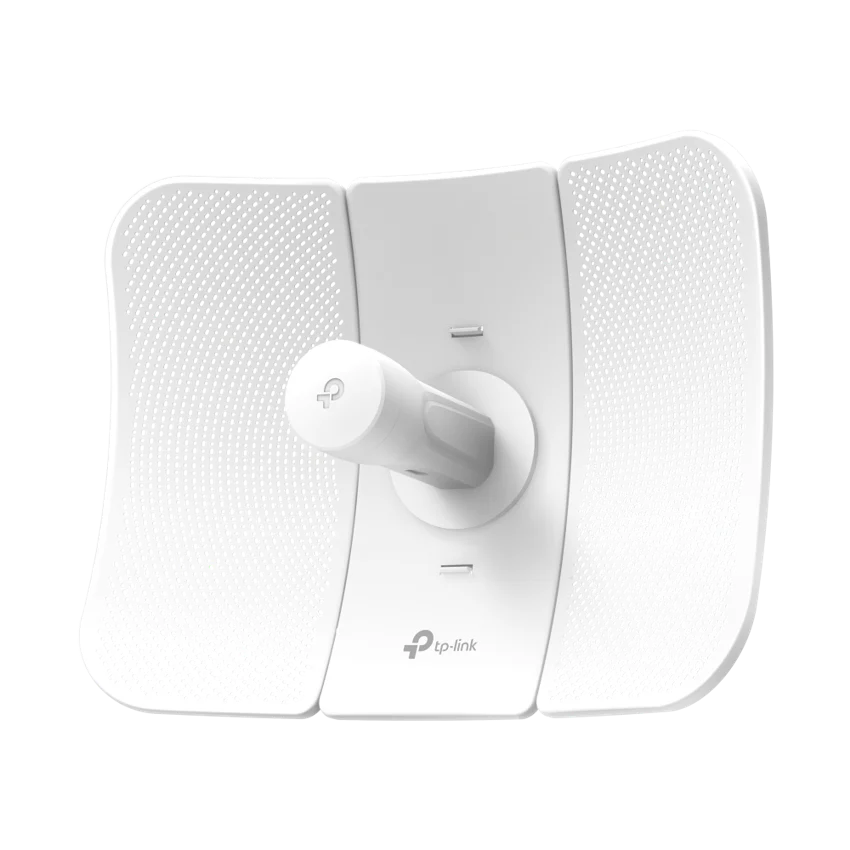
TP-Link CPE220 network accessory. Operation Modes: AP / Client / AP Client Router (WISP Client) / AP Router Mode; Processor: Qualcomm Atheros 560MHz CPU, MIPS 24Kc; Memory: 64MB DDR2 RAM, 8MB Flash. Compare configuration and request a hardware quote.
Price on request
Contact us to confirm availability. Final price, shipping and taxes are confirmed before payment.
Pricing, availability, condition, included options and warranty are confirmed in your quotation.
CONNECTIONS & COMPATIBILITY
Check the host model, available slots, power requirements and software support before ordering this assembly.
Browse the product categories above for related equipment. Confirm compatibility with your full configuration before ordering.
Technical overview
Use the complete part number when reviewing options and system requirements.
| Manufacturer | TP-Link |
|---|---|
| Manufacturer part number | CPE220 |
| Product family | Business network accessories |
| Documented hardware version | V3; match the hardware revision before ordering |
| Operation Modes | AP / Client / AP Client Router (WISP Client) / AP Router Mode |
| Processor | Qualcomm Atheros 560MHz CPU, MIPS 24Kc |
| Memory | 64MB DDR2 RAM, 8MB Flash |
| Interface | 1 10/100Mbps Shielded Ethernet Port (LAN0,Passive PoE in)1 10/100Mbps Shielded Ethernet Port (LAN1)1 Grounding Terminal1 Reset Button |
| Power Supply | Passive Power over Ethernet via LAN0 (+4,5pins; -7,8pins) Voltage range: 16-27VDC |
| Dimensions ( W x D x H ) | 11×3.1×2.1 inch (276×79×60 mm) |
| Antenna | Built-in 12dBi 2x2 Dual-polarized Directional Antenna Beam Width: 60° (H-Plane) / 30° (E-Plane) Note: For more details, please refer to datasheet |
| Protection | 15KV ESD Protection 6KV Lightning Protection |
| Enclosure | Outdoor ASA stabilized plastic material IPX5 waterproof Certification |
| System-level Optimizations | Optimized IGMP Snooping/Proxy for multicast applications Hardware watch dog |
| Wireless Standards | IEEE 802.11b/g/n (with Pharos MAXtream disabled) |
| Proprietary Protocol | TDMA Mode (with Pharos MAXtream enabled) |
| Wireless Speeds | Up to 300Mbps (40MHz,Dynamic) Up to 144.4Mbps (20MHz,Dynamic) Up to 72.2Mbps (10MHz,Dynamic) Up to 36.1Mbps (5MHz,Dynamic) |
| Frequency | 2.4~2.483GHz Note: Available operating frequency may vary depending on the limitations of the countries or regions in which the device is used. |
| Dimensions(W x D x H) | 85.8×43.9×31.9 mm |
| Interfaces | 1 AC Jack with Earth Ground1 10/100/1000Mbps Shielded Ethernet Port (Power + Data)1 10/100/1000Mbps Shielded Ethernet Port (Data) |
| Button | Remote Reset Button |
| Power Status LEDs | Green |
| Input | 100-240VAC, 50/60Hz |
| Output | 24VDC, 0.5A Max+4, 5pins; -7, 8pins. (Support up to 60m Power over Ethernet) |
| Efficiency | >80% |
| Max. Power Consumption | 10.8 Watts Max Note: When deployed using Passive PoE, the power drawn from the power source will be higher by some amount depending on the length of the connecting cable. |
| Wireless Configurations | Pharos MAXtream TDMA Technology 802.11b/g/n Modes Selectable Channel Width: 5/10/20/40MHz (Depend on Country Regulation) Automatic Channel Selection Transmission Power Control Dynamic Frequency Selection (DFS) WDS Enable/Disable Security: WPA/WPA2, WPA-PSK/WPA2-PSK (AES/TKIP) Encryption, 64/128/152-bit WEP Encryption SSID Broadcast Enable/Disable Multi-SSID with VLAN Tagging (AP mode only) Distance/ACK Timeout Setting Wireless MAC Address Filter Wireless Advanced: > Beacon Interval/RTS Threshold/Fragmentation >Threshold/DTIM Interval/AP Isolation/Short GI/Wi-Fi Multimedia |
| Management Features | Discovery and Remote Management via Pharos Control application HTTP/HTTPS Web-based management System Log SNMP Agent(v2c) Ping Watch Dog Dynamic DDNS SSH Server |
| System Tools | Wireless Signal Quality Indicators: Signal Strength/Noise/Transmit CCQ/CPU/Memory Monitors: Throughput/Stations/Interfaces/ARP/Routes/WAN/DHCP Spectrum Analyzer Speed Test Ping Traceroute |
| Transmission Power | 30dBm/1000mw (Adjustable power by 1dBm)Note: Maximum transmission power may vary across different channels depending on the limitations of the countries or regions in which the device is used. |
| System Requirements | Microsoft Windows 98SE, NT, 2000, XP, Vista™ or Windows 10, Windows 8, Windows 7, MAC OS, NetWare, UNIX or Linux. Note: We recommend you to use one of following Web browsers for an improved user experience: Google Chrome, Safari, and Firefox. IE browsers are not recommended. |
| Environment | Operating Temperature: -40℃~70℃ (-40℉~158℉)Storage Temperature: -40℃~70℃ (-40℉~158℉)Operating Humidity: 10%~90% non-condensingStorage Humidity: 5%~95% non-condensing |
PRODUCT DETAILS
TP-Link CPE220 is a network accessory in the Business network accessories range. Use the model code when matching your deployment or replacement requirement.
Check installation dimensions, power requirements, interface compatibility and required accessories. Confirm whether the quoted item is a complete device or an individual component.
Confirm hardware revision and included items in the quotation. A firmware-dependent feature or licensed capability must be checked against the actual configuration.
Send CPE220 with quantity, destination, required condition and any installation constraints. List power, optics or mounting accessories separately when required.
Inclusions depend on the exact ordering configuration. We confirm the supplied hardware, accessories and applicable commercial terms in writing.
Browse TP-Link equipment · Network equipment · Request a matched quotation
Prepare your enquiry
Include the full model, manufacturer P/N, revision and quantity.
Tell us the host model, generation, installed configuration and required supporting hardware.
Specify condition, testing requirements, destination and requested delivery date.
RELATED PRODUCTS
Check compatibility before choosing a replacement. The products below are related, but may not be interchangeable.
Browse this equipment range
Chassis, line cards, routing engines, power supplies, cooling and installation parts. These entries identify components; they are not automatically complete systems.