Original HDDs & SSDs
Match the full manufacturer P/N, carrier, interface and supported firmware.
Browse original SSDs ↗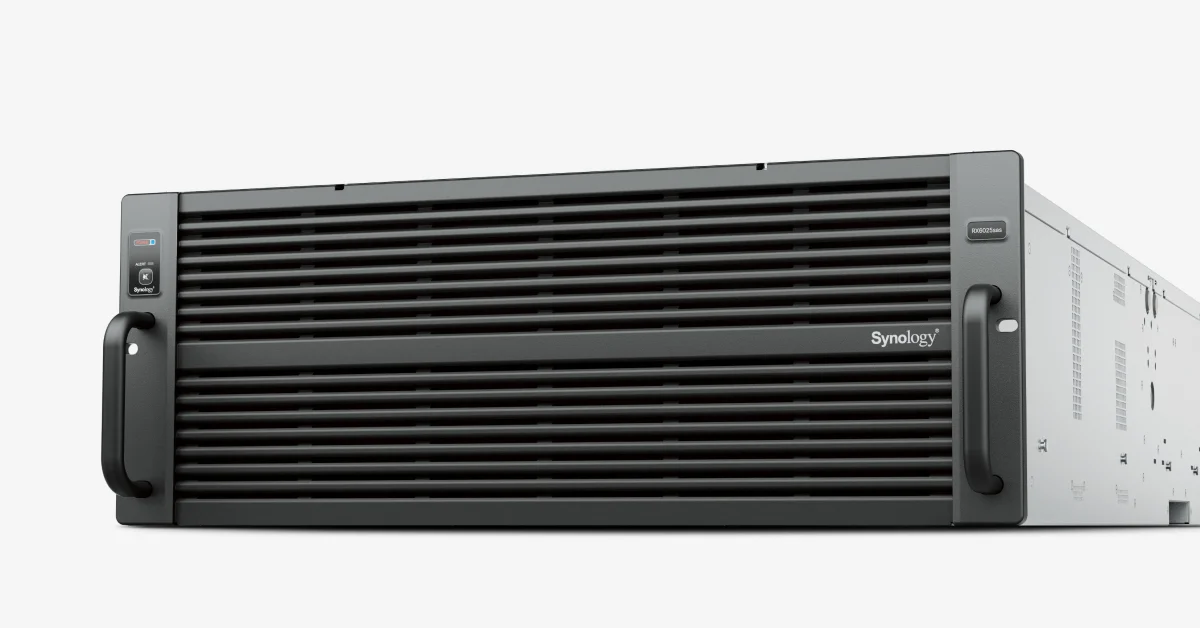
Synology / Storage Expansion Units
Manufacturer P/N: RX6025sas
Synology RX6025sas Storage Expansion Units. supports creating volumes across different units: HD6500; drive bays: 60; drive type: 3.5" SAS HDD 2.5" SATA SSD. Request pricing and a matched configuration from Star Networking.
$10,918.99 USD · Condition confirmed with quotation
Synology RX6025SAS standard configuration. Additional drives, memory, network adapters and installation services are quoted separately.
Contact us to confirm availability. Final price, shipping and taxes are confirmed before payment.
Pricing, availability, condition, included options and warranty are confirmed in your quotation.
CONNECTIONS & COMPATIBILITY
An expansion shelf adds bays behind a compatible controller. It does not replace the server, storage controller or Ethernet switch.
Browse the product categories above for related equipment. Confirm compatibility with your full configuration before ordering.
Technical overview
Use the complete part number when reviewing options and system requirements.
| Manufacturer | Synology |
|---|---|
| Model / part number | RX6025sas |
| Supports creating volumes across different units | HD6500 |
| Drive Bays | 60 |
| Drive Type | 3.5" SAS HDD 2.5" SATA SSD |
| Expansion Port | 2 |
| Size (Height × Width × Depth) | 176 mm x 438 mm x 985 mm |
| Size (Height x Width x Depth) (with server ears) | 176 mm x 482 mm x 1020 mm |
| Weight | 33.9 kg |
| Rack Installation Support | 4-post 19" rack (Synology Rail Kit - RKS-03 ) |
| Power Recovery | Synchronized with the Synology RackStation |
| Power Supply Unit / Adapter | 1300 W |
| AC Input Power Voltage | 200V to 240V AC |
| Power Frequency | 50/60 Hz, Single Phase |
| Redundant Power Supply | Supported |
| Operating Temperature | 0°C to 35°C (32°F to 95°F) |
| Storage Temperature | -20°C to 60°C (-5°F to 140°F) |
| Operating Humidity | 8% to 80% RH |
| Storage Humidity | 5% to 95% RH |
| System Fan | 80 mm x 80 mm x 4 pcs |
| Easy Replacement System Fan | Supported |
| Optional Accessories | Enterprise Series 3.5" SAS HDD: HAS5300 Series Enterprise Series 2.5" SATA SSD: SAT5200 Series |
PRODUCT DETAILS
Synology RX6025sas Storage Expansion Units. supports creating volumes across different units: HD6500; drive bays: 60; drive type: 3.5" SAS HDD 2.5" SATA SSD. Request pricing and a matched configuration from Star Networking.
Order against the exact part number. A chassis, expansion enclosure and upgrade component are different products; installed drives and optional modules must be specified in the quotation.
Confirm the workload, usable capacity, network connectivity and power requirements before selecting options. An expansion connector is not automatically compatible with every enclosure. Keep an independent backup appropriate to your recovery requirements.
Send the model, quantity, required drives or upgrades, and destination. We will quote the configuration and confirm included items, condition and commercial terms.
Prepare your enquiry
Include the full model, manufacturer P/N, revision and quantity.
Tell us the host model, generation, installed configuration and required supporting hardware.
Specify condition, testing requirements, destination and requested delivery date.
RELATED PRODUCTS
Check compatibility before choosing a replacement. The products below are related, but may not be interchangeable.