
FC channel adapters
32Gb FC adapters and matching optical modules on both controllers.
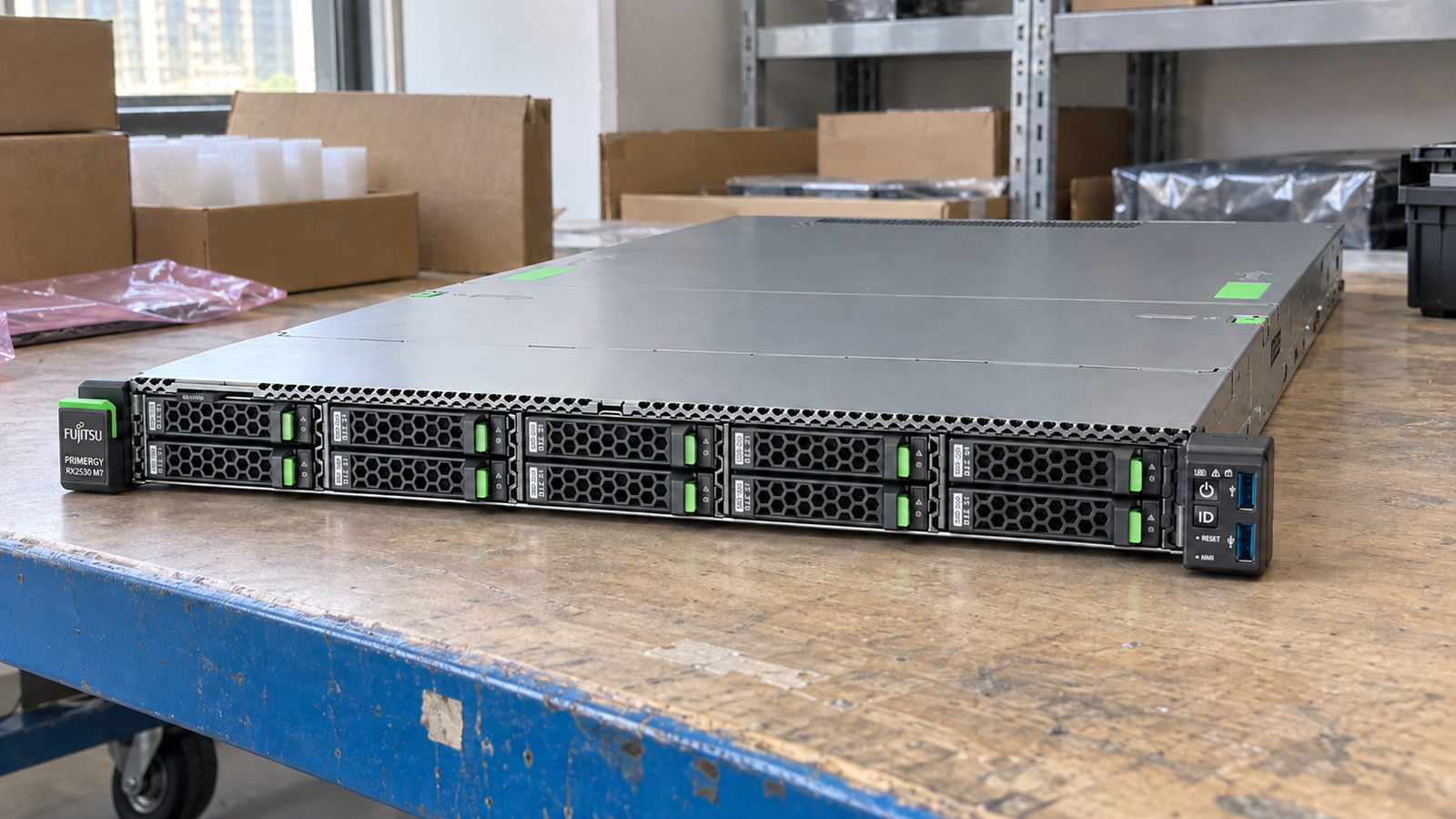
Fujitsu / Rack Server
Manufacturer P/N: PRIMERGY RX2530 M7
Fujitsu PRIMERGY RX2530 M7 is a 1U dual-socket server with 4th/5th Gen Intel Xeon Scalable support, 32 DDR5 slots and 4LFF, 8SFF or 10SFF front-bay options. Verify the exact configured unit before purchase.
Price on request
Contact us to confirm availability. Final price, shipping and taxes are confirmed before payment.
Pricing, availability, condition, included options and warranty are confirmed in your quotation.
STORAGE & SAN
Compare storage arrays, servers and switches for Fibre Channel, iSCSI and file storage. Select a system below to see its connections and ordering considerations.
View storage connection examplesCONNECTIONS / 32Gb FC
Connection example · confirm compatibility before ordering
Select a product to see how it connects
Swipe to explore the full hardware map →
Logical data paths. Images show the equipment; cable endpoints are not physical port locations.
RELATED PARTS & SUPPORT
32Gb FC adapters and matching optical modules on both controllers.
PRIMERGY slot, FC HBA, driver and OS support as one combination.
ETERNUS-supported multipath software or approved native OS policy.
Original ETERNUS drives, shelf options and selected copy licenses.
Give each host a qualified FC path into both fabrics.
Zone initiators to the intended storage targets.
Map volumes and verify recovery through host multipathing.
Plan PRIMERGY application hosts around a dual-controller ETERNUS DX200 S5 and two Brocade G620 switches. Keep business Ethernet separate from the 32Gb FC storage paths.
Confirm the full configuration and compatibility before ordering.Plan PRIMERGY application hosts around a dual-controller ETERNUS DX200 S5 and two Brocade G620 switches. Keep business Ethernet separate from the 32Gb FC storage paths.
Connection example · confirm compatibility before ordering
Use the DX200 S5 10GbE iSCSI host-interface configuration with separate storage subnets. Two candidate Dell S5248F-ON Ethernet switches carry 10GbE links to qualified PRIMERGY NICs and both controllers.
Connection example · check NIC, transceiver, firmware and OS compatibility
Technical overview
Use the complete part number when reviewing options and system requirements.
| Manufacturer | Fujitsu |
|---|---|
| Model | PRIMERGY RX2530 M7 |
| Product category | Dual-socket rack server |
| Rack form factor | 1U |
| Processor platform | One or two 4th or 5th Gen Intel Xeon Scalable processors; installed CPUs vary by configuration |
| Memory | 32 DDR5 DIMM slots; Fujitsu lists up to 8 TB subject to CPU and DIMM selection |
| Front drive-bay variants | Up to 4 × 3.5-inch, 8 × 2.5-inch or 10 × 2.5-inch; base unit differs |
| Chipset | Intel C741 |
| Expansion | Up to three PCIe 5.0 slots, one internal-controller PCIe 4.0 slot and OCP 3.0 adapter support; check configuration |
PRODUCT DETAILS
The PRIMERGY RX2530 M7 combines two processor sockets, DDR5 memory and several front-storage layouts in a 1U rack system. A listing identified only by the model family does not tell you which base unit or installed parts you will receive.
The illustrated front panel represents the ten 2.5-inch drive-bay version. Fujitsu also lists four 3.5-inch and eight 2.5-inch base units. Compare front-bay count, drive carriers and controller/backplane type with the offered-unit photographs and system label before ordering.
Confirm the exact 4th- or 5th-generation Xeon processors, DIMM population, capacity and speed, and any OCP or PCIe adapters. The published 32-slot and 8 TB figures describe platform limits, not the memory installed in an offered server.
Prepare your enquiry
Include the full model, manufacturer P/N, revision and quantity.
Tell us the host model, generation, installed configuration and required supporting hardware.
Specify condition, testing requirements, destination and requested delivery date.