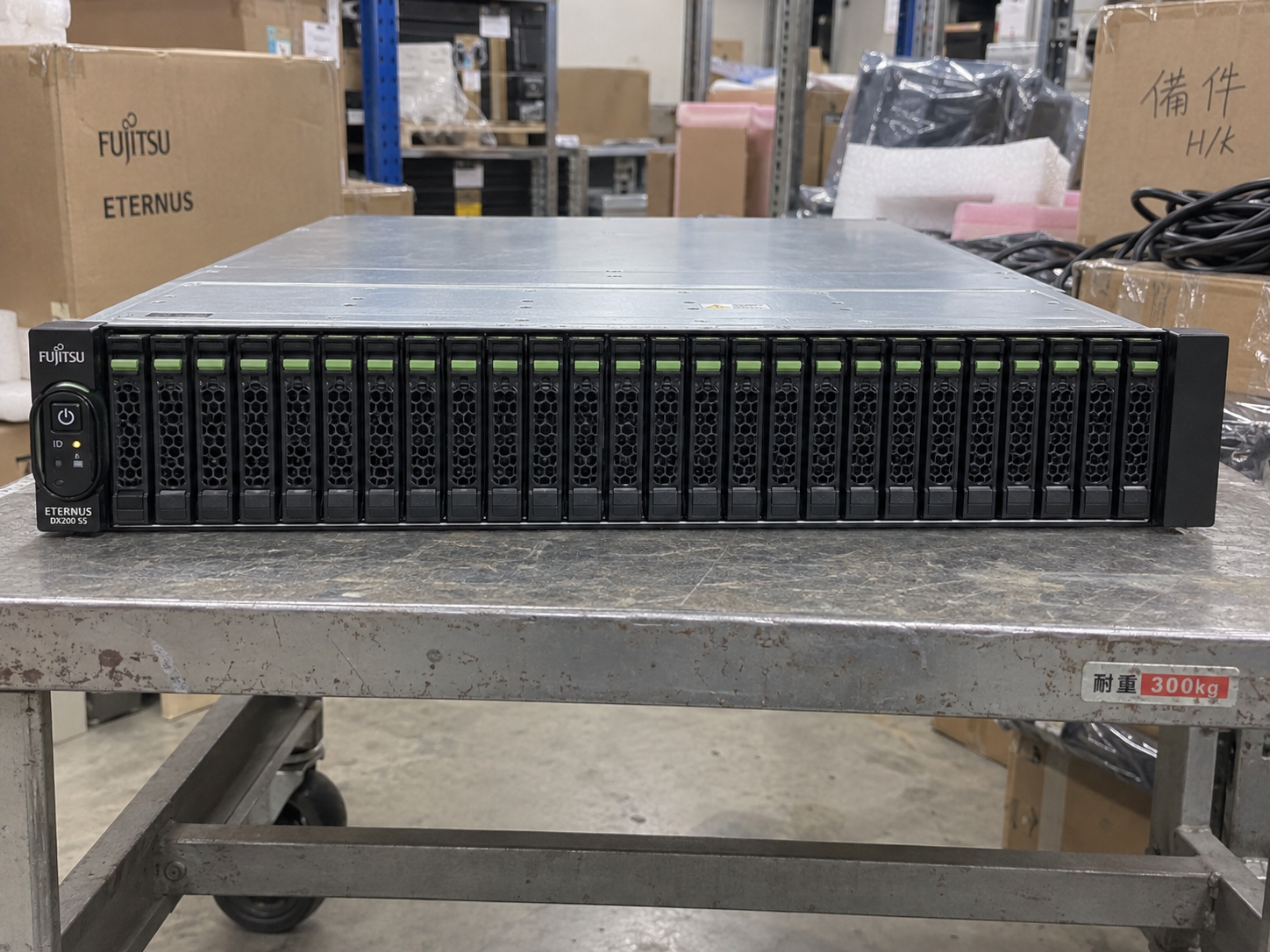
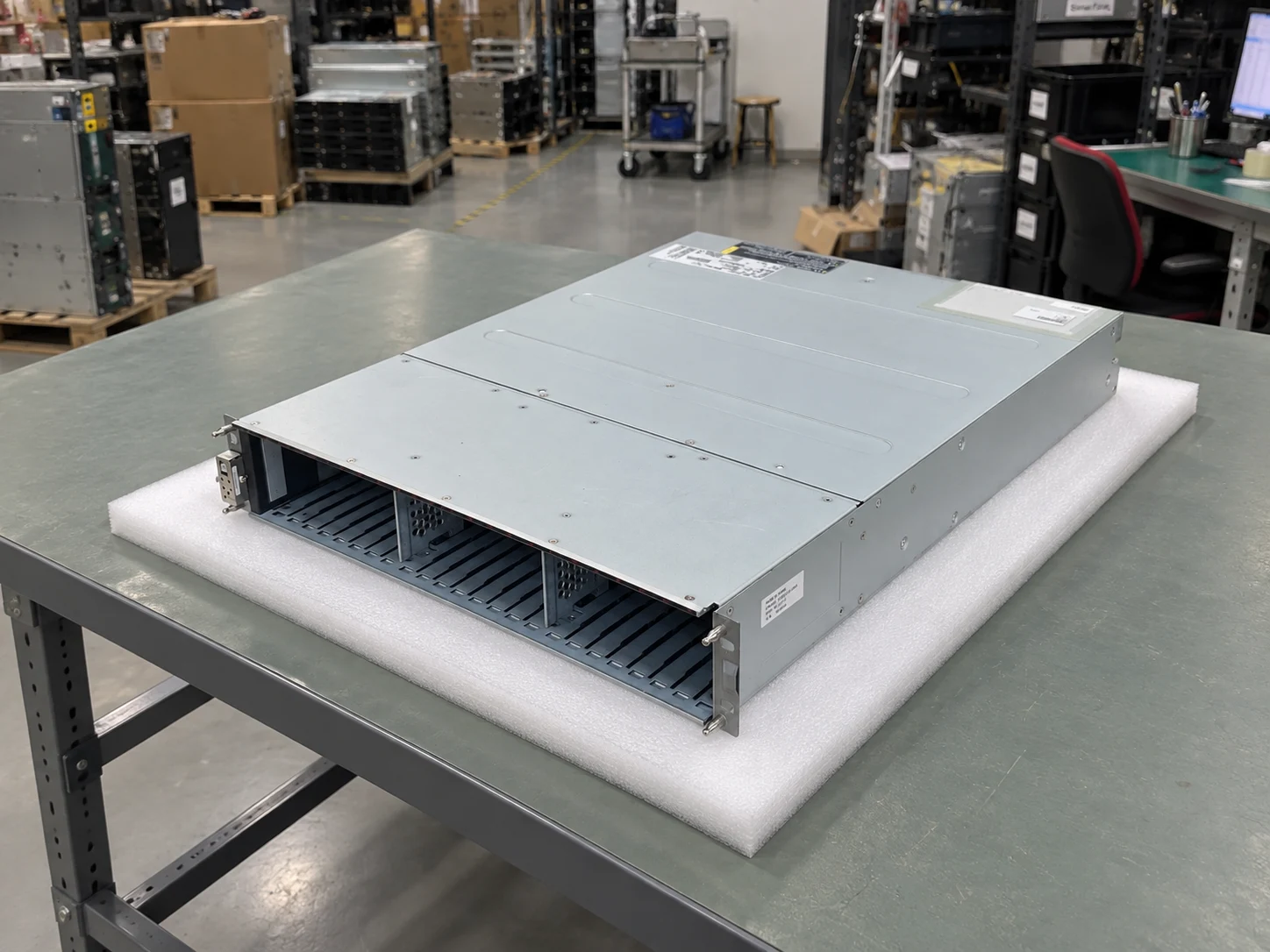
Illustrative product-category image of the DX200 S5 24 × 2.5-inch controller-enclosure option. Not actual stock; installed drives and controllers are unverified.
Use the full model, manufacturer part number and revision. Your quotation will list the condition and included components.
Plan storage around the controller platform
Fujitsu ETERNUS DX200 S5
Model ETERNUS DX200 S5
Fujitsu ETERNUS DX200 S5 is a 2U hybrid storage system. The 2.5-inch controller enclosure has 24 front drive positions; confirm controller, host ports and expansion shelves in the offered configuration.
Product role
Hybrid storage controller enclosure; separate drive enclosures may extend the system
Controller enclosure
2U chassis for the documented 2.5-inch front variant
Front drive positions
24 × 2.5-inch positions in one horizontal row for this variant; a 12 × 3.5-inch controller-enclosure variant also exists
Controller and power placement
Controllers and power-supply units are installed at the rear of the controller enclosure
Request pricingQuoted to your requirements
Tell us the configuration, quantity and destination. Your quotation will show availability, condition, warranty and delivery terms.
These specifications describe the storage platform. Server CPU and DIMM options are handled separately.
Use this checklist to describe the change. The host system and full configuration determine which parts will fit.
03
YOUR QUOTE REQUEST
Tell us what you need
Add the quantity, options and installation details you want us to quote.
Confirm the exact manufacturer part number, host compatibility and included components. Optional software is quoted separately only when requested.
04
SUPPORT & REPLACEMENT
Plan for support and future replacement
Check support dates, replacement options and whether continued use still makes sense.
Support dates
We do not have confirmed sales and support dates for this part number.
Send us the full ETERNUS DX200 S5 order code, software release and support details before planning long-term use.
Ask us to check the current sales and support status
Choosing a replacement
Products with similar names or connectors may still be incompatible. Compare the full specifications, installed system and software requirements.
Compare related products These products may be related, but we have not confirmed them as replacements.What should I compare?
Physical fit, connectors and power
Capacity and required performance
Software, firmware and feature support
Licensing, service coverage and data and configuration migration
USING HARDWARE RESPONSIBLY
Maintain, redeploy or replace
Consider repairability, remaining support and actual operating demand. Extending service life is useful only when the equipment still meets your security and reliability requirements.
MaintainCheck parts, firmware and service options.
RedeployMatch a suitable role and securely erase any retained data.
Retire responsiblyUse documented data removal and an appropriate electronics recycler.
Compare operating energy
Use measured average input power for the same workload. PSU ratings and processor TDP are different from total system power.
Energy difference = (current W − proposed W) × hours × units ÷ 1,000. Excludes cooling, embodied emissions and purchase costs.
Factory-configured storage
Drives, expansion shelves and licenses
Factory-supplied hardware
This platform uses its manufacturer-specified hardware configuration. Choose qualified drives, supported expansion and software for the exact model and release; processor and memory choices are not presented as generic server options.
Original HDDs & SSDs
Match the full manufacturer P/N, carrier, interface and supported firmware.
Compare storage arrays, servers and switches for Fibre Channel, iSCSI and file storage. Select a system below to see its connections and ordering considerations.
Connection example · confirm compatibility before ordering
SHOW CONNECTIONS
Select a product to see how it connects ↙
Swipe to explore the full hardware map →
01 SERVERS
02 NETWORK
03 STORAGE
DUAL-CONTROLLER STORAGEFujitsu ETERNUS DX200 S5
Logical data paths. Images show the equipment; cable endpoints are not physical port locations.
RELATED PARTS & SUPPORT
Adapters, transceivers and cables
01
FC channel adapters
32Gb FC adapters and matching optical modules on both controllers.
02
Host qualification
PRIMERGY slot, FC HBA, driver and OS support as one combination.
03
Path management
ETERNUS-supported multipath software or approved native OS policy.
04
Capacity & services
Original ETERNUS drives, shelf options and selected copy licenses.
01
Give each host a qualified FC path into both fabrics.
02
Zone initiators to the intended storage targets.
03
Map volumes and verify recovery through host multipathing.
Plan PRIMERGY application hosts around a dual-controller ETERNUS DX200 S5 and two Brocade G620 switches. Keep business Ethernet separate from the 32Gb FC storage paths.
Confirm the full configuration and compatibility before ordering.
Fujitsu · Fibre Channel: equipment and connection requirements+
Plan PRIMERGY application hosts around a dual-controller ETERNUS DX200 S5 and two Brocade G620 switches. Keep business Ethernet separate from the 32Gb FC storage paths.
Choose the DX200 S5 dual-controller 32Gb FC configuration, qualified Fujitsu channel adapters and approved drives. This is a SAN block-storage example.
The switch family is documented with the array; that does not certify this complete RX2530 M7/OS/HBA combination. Review its host connection guide and multipath software before deployment.
Keep fabrics A and B isolated. Use supported initiator/target zoning, LUN masking and host multipathing. Do not connect them with an Ethernet-style peer link.
Two HBA ports provide path diversity, but one dual-port adapter remains a shared failure point. Use separately qualified adapters when adapter-level redundancy is required.
Connection example · confirm compatibility before ordering
Fujitsu · iSCSI: equipment and connection requirements+
Use the DX200 S5 10GbE iSCSI host-interface configuration with separate storage subnets. Two candidate Dell S5248F-ON Ethernet switches carry 10GbE links to qualified PRIMERGY NICs and both controllers.
This is a proposed 10GbE iSCSI design; verify the ETERNUS channel adapters, both switch endpoints and the exact server/OS/NIC combination.
Keep iSCSI subnets distinct and use supported multipathing. Do not configure FC zoning or connect FC optics to Ethernet ports.
The array offers 1/10GbE iSCSI options; this example specifically uses 10GbE optical connections. Validate reach, connector and module support end to end.
Connection example · check NIC, transceiver, firmware and OS compatibility
PRODUCT DETAILS
Features and applications
Fujitsu ETERNUS DX200 S5 storage configuration
This is a hybrid storage array, not a general-purpose server. Fujitsu documents a 2U controller enclosure with a single row of 24 front 2.5-inch positions; a different twelve-position 3.5-inch front option also exists. Controllers and power modules are fitted at the rear, and separate drive enclosures can extend the system.
The image illustrates the 24-position controller enclosure only. It does not identify the installed drives, controller count, host-interface modules, expansion shelves, licenses or stock condition.
Procurement checks
Request the complete controller and enclosure identifiers plus photographs of the exact offered front and rear.
List controller modules, host interfaces, drive-enclosure models, expansion cables, caddies and populated media separately.
Verify service firmware, licenses, rail kit, tested condition and the required host protocol before quotation.
Identify the exact Fujitsu product and the installed storage context. Match controller, enclosure, media and software requirements using the relevant product records.
Resilient data path
Controller and HA architecture
Plan availability across host paths, storage media and recovery targets.
Storage controllers
A redundant controller pair presents storage through independent host paths. Controller ownership, cache mirroring and failover behavior must be checked for the exact software release.
End-to-end HA design
Design two failure domains from host HBA or NIC through fabric, controller, back-end path and power. A dual-controller label alone does not prove end-to-end availability.
Platform and software
Platform, software and expansion
Each quote identifies the software platform, licensed data services and supported expansion limits for the selected storage family.
01
System Architecture
A redundant controller pair presents storage through independent host paths. Controller ownership, cache mirroring and failover behavior must be checked for the exact software release.
02
Data services
ETERNUS management, ETERNUS SF and supported application integrations. Local copy and remote replication require exact firmware, license and peer compatibility
03
Lifecycle gate
Validate model, release, support region, capacity metric and entitlement owner.
System Architecture
Storage topology
The diagram identifies the main system components without depicting another chassis.
Every enclosure, drive, cable and rail must be supported by the exact platform configuration.
01
Base and expansion rule
The base enclosure and every expansion shelf are ordered with supported I/O modules, cables, rails, power and an approved population plan. Shelf mixing is never assumed.
02
Host protocols and ports
Fibre Channel
iSCSI
SAS or FCoE where supported by model
Availability, speed, port count, optics and adapter type must be confirmed for the exact controller and software release.
03
Drive and media compatibility
Fujitsu-qualified SSDs
Fujitsu-qualified SAS HDDs
DX-compatible drive enclosures
The final BOM includes only manufacturer-qualified media for the model, enclosure and software release.
Capacity Planning
Raw, usable and effective capacity
These terms are not interchangeable. Capacity planning starts with the required usable result and documents every deduction or assumption.
01
Raw capacity
Sum of installed media before parity, sparing, metadata, formatting and system reserves.
02
Usable capacity
Capacity available after the selected protection layout and mandatory system overhead.
03
Effective capacity
A workload-dependent planning value that may include compression, deduplication or thin provisioning.
Supported capacity limits
Raw capacity is installed media before protection. Usable capacity follows parity, sparing, metadata and system reserves. Effective capacity may include thin provisioning or data reduction and is workload-dependent.
RAID, parity and data protection
Supported ETERNUS RAID levels
Dual-controller and multipath resilience
AdvancedCopy and transparent-failover options
Software platform
Software, copies, licensing and security
Hardware and software are quoted as one supportable system while licenses, subscriptions and service terms stay visible as separate BOM decisions.
01
Software and data services
ETERNUS management, ETERNUS SF and supported application integrations
02
License Requirements
AdvancedCopy, QoS, tiering, management and support options are checked by model
03
Snapshots and replication
Local copy and remote replication require exact firmware, license and peer compatibility
04
Security and cyber recovery
Drive encryption, key management, secure administration and integrity controls are reviewed
Quotation Structure
Storage system and order options
Storage systems are quoted by architecture, usable capacity, host access, software features and lifecycle coverage.
01
Controllers, nodes and cache
Controller count, node role, mirrored cache or NVRAM behavior, management plane and failover mode are confirmed before pricing.
Mirrored write cache, NVRAM or flash-backed destage behavior is validated with controller failover and protection policy.02
Expansion shelves and media packs
Base enclosure, shelves, drive packs, rails, power, shelf I/O modules and cables stay visible as separate order lines.
The base enclosure and every expansion shelf are ordered with supported I/O modules, cables, rails, power and an approved population plan. Shelf mixing is never assumed.03
Protocols and host access
FC, iSCSI, NVMe-oF, NFS, SMB or S3 access is validated with host software, optics, adapters and the exact storage release.
Fibre Channel, iSCSI, SAS or FCoE where supported by model04
Data services, licenses and support
Snapshots, replication, encryption, ransomware protection, capacity metrics, software term and service SLA are priced as named entitlements.
AdvancedCopy, QoS, tiering, management and support options are checked by model05
Capacity plan
The quotation lists raw, usable and effective capacity separately and allows for growth, spare capacity and rebuild overhead.
Raw capacity is installed media before protection. Usable capacity follows parity, sparing, metadata and system reserves. Effective capacity may include thin provisioning or data reduction and is workload-dependent.
Expansion Planning
Expansion equipment and part numbers
Capacity growth is treated as a controlled array expansion, not a loose drive purchase. The quote keeps enclosures, media, ports, cables, licenses and service changes visible.
01
Controllers, nodes and cache
A redundant controller pair presents storage through independent host paths. Controller ownership, cache mirroring and failover behavior must be checked for the exact software release.
02
Expansion shelves and media packs
The base enclosure and every expansion shelf are ordered with supported I/O modules, cables, rails, power and an approved population plan. Shelf mixing is never assumed.
03
Compatible drive options
All-flash tier / Hybrid tier / Capacity tier
04
Protocols and host access
Fibre Channel SAN / iSCSI SAN / Direct or converged assessment
05
Software and license entitlement
AdvancedCopy, QoS, tiering, management and support options are checked by model
06
Warranty and support options
Confirm serial coverage, SLA, install service and renewal owner
Deployment Scenarios
Application and rack scenarios
The same model can support different environments. We confirm workload, protocol, power, cooling, recovery and delivery documentation before finalizing the BOM.
01
Core database SAN
Low-latency FC or NVMe-ready block with multipath, consistent snapshots, predictable rebuild and strict change windows.
02
Virtualization cluster
VMware, Hyper-V or KVM storage with datastore growth, host-profile validation, replication and restore testing.
03
Mixed block and file
Unified access where NAS, SAN, identity, snapshot schedule and QoS policies are documented separately.
Attachable parts
Related accessories and service parts
Accessories are scoped by exact controller, shelf, host and software compatibility. No cross-family part is assumed compatible from name alone.
Controllers / nodes
Controller canisters, node FRUs, cache protection, NVRAM/boot media and management modules by exact machine type.
Disk shelves / enclosures
Expansion shelves, I/O modules, rails, power supplies, inter-shelf cables and rack kits matched to the platform.
Compatible drives
SSD, NVMe, SAS HDD, SED/FIPS media, carriers and blank fillers approved for the enclosure and release.
SAN / NAS access
FC HBAs, Ethernet adapters, optics, DAC/AOC, FC cables, host multipath software and switch-port plan.
Licenses / support
AdvancedCopy, QoS, tiering, management and support options are checked by model
Replication / recovery
Local copy and remote replication require exact firmware, license and peer compatibility
Ownership after delivery
Service, support and lifecycle
The order remains incomplete until support geography, software access, replacement process and refresh ownership are named.
01
Plan
Confirm the workload, topology, rack, power, network, recovery objectives and acceptance criteria.
02
Match options
Confirm the supplied system and match supported shelves, drives, ports, licenses, cables and service lines.
03
Operate
Own monitoring, alerts, code levels, capacity headroom, restore tests, cases and renewals.
04
Refresh
Track lifecycle notices, support dates, non-disruptive paths, migration and secure retirement.
Installation and Acceptance
Deployment and acceptance checklist
Inspection results are listed item by item before shipment.
01
Match the delivered chassis, controllers, shelves, drives and serial-number details to the approved BOM.
02
Verify rack position, load, rail fit, service clearance, airflow, A/B power and grounding.
03
Validate every host, cluster, management, back-end and replication cable against the port map.
04
Confirm firmware, storage OS, licenses, subscriptions, support coverage and the approved upgrade path.
05
Test multipath behavior and the documented controller, node, link and power failure scenarios.
06
Create pools or protection domains with the approved parity, sparing, reserve and rebuild policy.
07
Present test volumes, shares or buckets and verify host alignment, permissions and performance baseline.
08
Create and restore local copies, then execute the approved remote-recovery or retention test.
09
Confirm monitoring, call-home, alerts, audit export, time settings, user access, encryption and key ownership.
10
Installation diagrams, exported configuration, licenses, credential process, test results and renewal contacts.
Manufacturer
Fujitsu
Model
ETERNUS DX200 S5
Manufacturer P/N
Confirmed in the quotation
Model / P/N
Fujitsu ETERNUS DX200 S5
Host path
Host operating environment, network or fabric and required access protocol
ETERNUS platform
Exact base system, controller configuration and applicable storage software
Shelf and media
Supported expansion reference, drive population and connection requirements
Document revision register
Storage-array planning
Drive, expansion and license requirements
Decision
Information to provide
Impact on selection
Host access
Host operating systems, protocols and existing storage network
Determines the interface and multipathing documentation to check.
Capacity and workload
Required usable space, workload pattern and protection policy
Guides media selection and sizing; raw drive capacity is not usable array capacity.
What the system includes
Controllers, chassis, expansion shelves, drives and storage software
Clarifies whether the order is an assembly, base system or populated array.
Product specifications
Manufacturer
Fujitsu
Product family
Fujitsu Storage System
Product series
ETERNUS DX200
Product reference
Manufacturer documentation is confirmed during RFQ review when a public datasheet is not attached.
Product image
Illustrative scene. Request photos of the offered unit before ordering.
Compatibility and BOM checks
Check before ordering
Distinguish a storage array, storage server and expansion enclosure.
Record the base system SKU, controller/server generation, host interfaces and media scope.
Review capacity, resilience, software features and support as separate configuration decisions.
Confirm expansion, host interoperability, rack space, power and migration requirements.
Inventory and dispatchContact us to confirm stock, preparation time and dispatch date for the part number and configuration you need.Condition and warrantyCondition grade, warranty term, exclusions and RMA route are written into the quotation and invoice.VAT, tax and dutiesProduct price, freight, sales tax, VAT, customs duty and importer responsibility remain separate and visible.Purchase order and paymentA purchase order is reviewed against the accepted quotation; payment schedule and any credit terms require written confirmation.