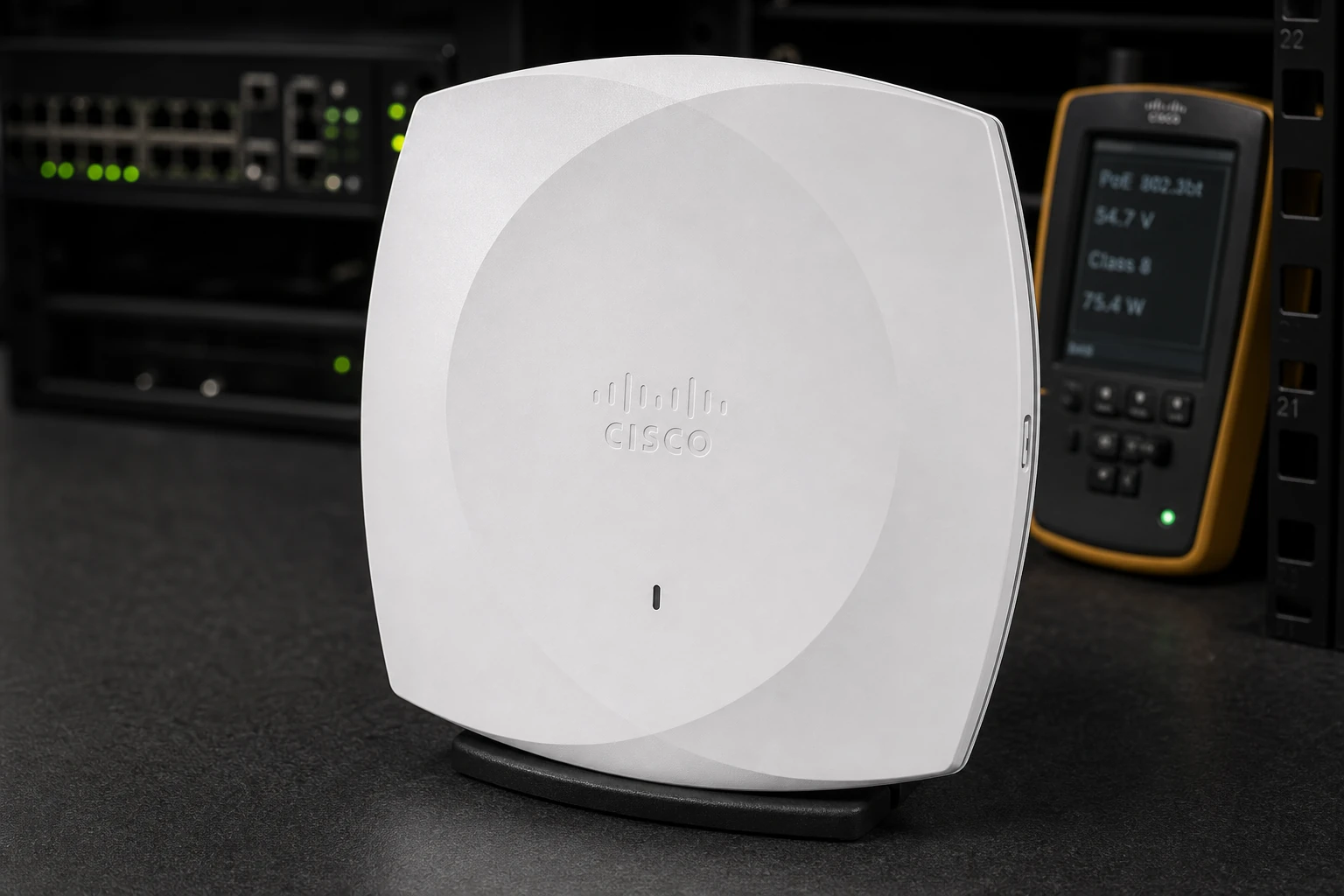
Meraki CW9176D1: check radio capabilities and regulatory domain.
This sketch helps describe your request. We will confirm protocols, port counts, coverage and failover when quoting.
03
YOUR QUOTE REQUEST
Tell us what you need
Add the quantity, options and installation details you want us to quote.
Specify the exact Cisco PID, software release and any required feature or throughput entitlement. Hardware and licenses are separate unless the quoted bundle states otherwise.
No license options are listed for this part number. If you need software, add its manufacturer part number and we will check it with the hardware.
04
SUPPORT & REPLACEMENT
Plan for support and future replacement
Check support dates, replacement options and whether continued use still makes sense.
Support dates
We do not have confirmed sales and support dates for this part number.
Send us the full Meraki CW9176D1 order code, software release and support details before planning long-term use.
Ask us to check the current sales and support status
Choosing a replacement
Products with similar names or connectors may still be incompatible. Compare the full specifications, installed system and software requirements.
Compare related products These products may be related, but we have not confirmed them as replacements.What should I compare?
Physical fit, connectors and power
Capacity and required performance
Software, firmware and feature support
Licensing, service coverage and data and configuration migration
USING HARDWARE RESPONSIBLY
Maintain, redeploy or replace
Consider repairability, remaining support and actual operating demand. Extending service life is useful only when the equipment still meets your security and reliability requirements.
MaintainCheck parts, firmware and service options.
RedeployMatch a suitable role and securely erase any retained data.
Retire responsiblyUse documented data removal and an appropriate electronics recycler.
Compare operating energy
Use measured average input power for the same workload. PSU ratings and processor TDP are different from total system power.
Energy difference = (current W − proposed W) × hours × units ÷ 1,000. Excludes cooling, embodied emissions and purchase costs.
CONNECTION DETAILS
Wireless installation requirements
Select the regional radio version, antennas and mounting hardware for the site. Verify the supported controller or management service, software release and power supply for this access point.
CONNECTS TOSupported management platform and Ethernet uplink
→
Meraki CW9176D1Wireless Access Point
→
USED FORWireless access for client devices
What to check before installation
Regulatory domain, radio coverage and antenna arrangement
Supported PoE standard and available switch power budget
Controller or management compatibility, software and mounting hardware
Cisco physical platform and regional SKU are matched before order.
Interface profileExact port configuration, airflow, power, optics and software entitlements are validated for the OEM SKU
Software rights are itemized separately from the hardware.
System capabilityRegional support and lifecycle options are confirmed with the quotation
Port, airflow, power and rack requirements are checked against the target topology.
Order structureHardware + license + support
Optics, cables and service terms remain visible as separate BOM lines.
07 · Integration checks
Compatibility checks for this product
Confirm protocol and feature support against the model documentation and your proposed network topology.
Management compatibility
Confirm the access point model and software release are supported by the selected controller or cloud management service.
Site and region
Match the regulatory domain, intended location, mounting method and antenna configuration to the exact ordered unit.
Wired uplink and power
Check the documented Ethernet uplink and PoE requirement against the access switch, injector and installed cabling.
Radio acceptance
Validate coverage, capacity, roaming and authentication with the intended client devices and site survey.
Product specifications
Manufacturer
Cisco
Product family
Cisco Wireless Access Point
Product series
Meraki CW9176D1
Product reference
Manufacturer documentation is confirmed during RFQ review when a public datasheet is not attached.
Product image
Illustrative scene. Request photos of the offered unit before ordering.
Compatibility and BOM checks
Check before ordering
Keep chassis, line cards, interface modules and ASICs as separate product classes.
Confirm port modes, media, routing or serial requirements for the model.
Match software release, licenses, management and support where applicable.
Review power, environment, mounting and redundancy for the documented device configuration.
Inventory and dispatchContact us to confirm stock, preparation time and dispatch date for the part number and configuration you need.Condition and warrantyCondition grade, warranty term, exclusions and RMA route are written into the quotation and invoice.VAT, tax and dutiesProduct price, freight, sales tax, VAT, customs duty and importer responsibility remain separate and visible.Purchase order and paymentA purchase order is reviewed against the accepted quotation; payment schedule and any credit terms require written confirmation.
These products are related, but they may not work as direct replacements. Send us your current part number if you need help choosing.
Browse this equipment range
Wireless & access points
Access points, wireless controllers and gateways. Select the deployment environment, management platform and regional version before matching mounting and power accessories.