Support dates
We do not have confirmed sales and support dates for this part number.
Send us the full EX4400-48MXP order code, software release and support details before planning long-term use.
Ask us to check the current sales and support status
Loading products and specifications…
 Network Switch
Specify every connection
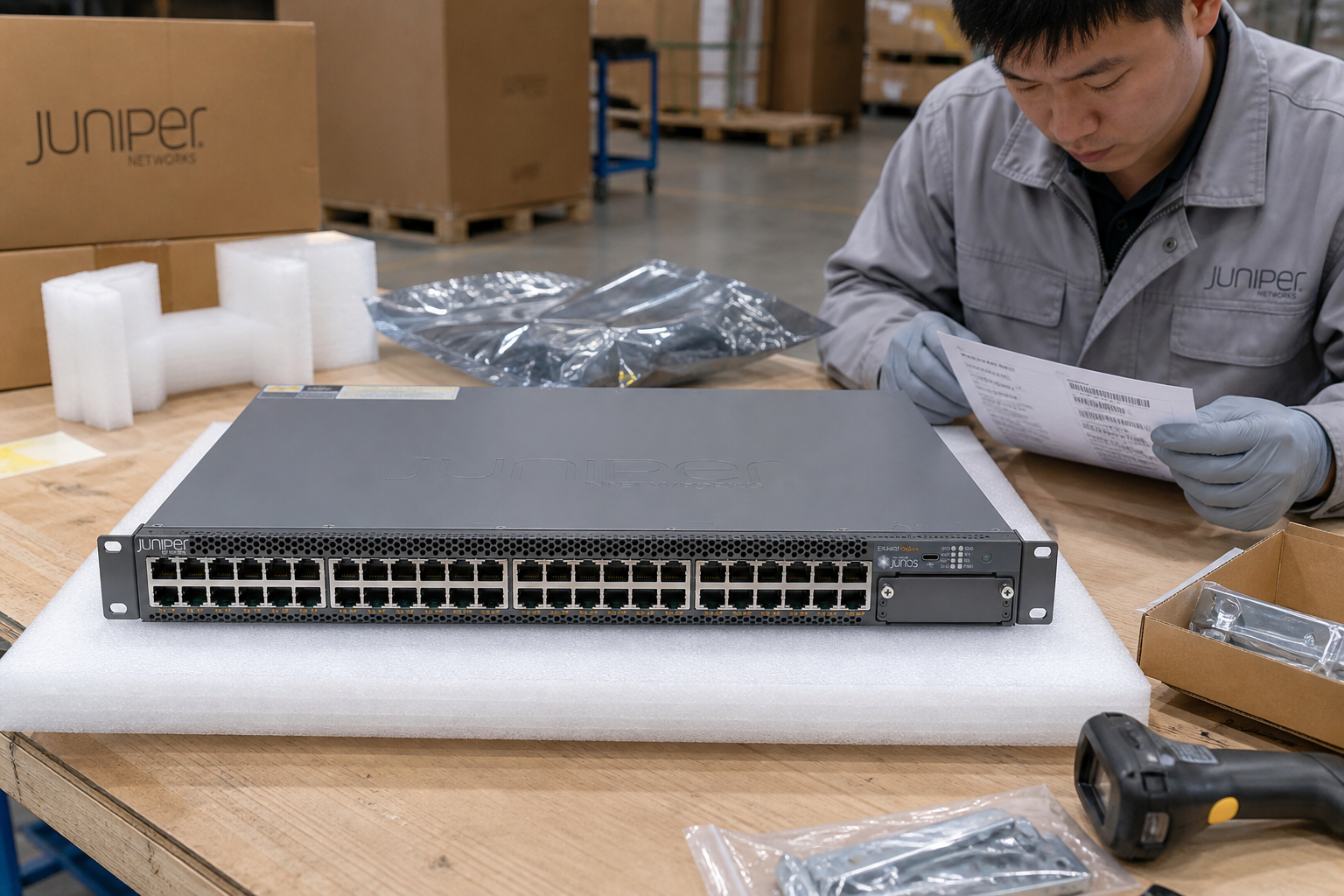
Juniper EX4400-48MXP. Network Switch. Ask for current pricing and help choosing the right configuration.
Tell us the configuration, quantity and destination. Your quotation will show availability, condition, warranty and delivery terms.
Start an order requestJuniper / PRODUCT DETAILS
Start with the exact switch part number, then list every connection. Optics, uplink modules and software may be separate items.
Tell us which system or service this product is for. We do not have details for this section yet.
Tell us which system or service this product is for. We do not have details for this section yet.
Tell us which system or service this product is for. We do not have details for this section yet.
Tell us which system or service this product is for. We do not have details for this section yet.
List connected devices, link rates and their PoE requirements.
View all specifications →Juniper / ORDER & INSTALLATION DETAILS
Preserve the full Juniper hardware suffix.
Match the intended host and installed Junos release where applicable.
Confirm the power and airflow variant before replacing hardware.
Technical overview
Use the full part number when comparing options or asking about system fit.
| Product series | EX4400-48MXP |
|---|---|
| Manufacturer | Juniper |
| Model | EX4400-48MXP |
| Manufacturer P/N | EX4400-48MXP |
| Product family | Network Switch |
| Hardware reference | Model, slot or port, existing label |
| Software reference | Applicable Junos or other product software family and release |
| Media reference | Optic/cable code, peer device and reach requirement |
| Model / P/N | Juniper EX4400-48MXP |
| Category | Network Switch |
HOW THIS PRODUCT FITS YOUR NETWORK
Choose how you plan to use this product.
List connected devices, link rates and their PoE requirements.
EX4400-48MXP: check access ports, uplinks and link rates.
This sketch helps describe your request. We will confirm protocols, port counts, coverage and failover when quoting.
YOUR QUOTE REQUEST
Add the quantity, options and installation details you want us to quote.
Include the hardware suffix, Junos release, airflow and power requirements. List software features and service coverage separately.
No license options are listed for this part number. If you need software, add its manufacturer part number and we will check it with the hardware.
SUPPORT & REPLACEMENT
Check support dates, replacement options and whether continued use still makes sense.
We do not have confirmed sales and support dates for this part number.
Send us the full EX4400-48MXP order code, software release and support details before planning long-term use.
Ask us to check the current sales and support statusProducts with similar names or connectors may still be incompatible. Compare the full specifications, installed system and software requirements.
Compare related products These products may be related, but we have not confirmed them as replacements.USING HARDWARE RESPONSIBLY
Consider repairability, remaining support and actual operating demand. Extending service life is useful only when the equipment still meets your security and reliability requirements.
Use measured average input power for the same workload. PSU ratings and processor TDP are different from total system power.
Energy difference = (current W − proposed W) × hours × units ÷ 1,000. Excludes cooling, embodied emissions and purchase costs.CONNECTION DETAILS
Check the protocol and port requirements of the equipment you intend to connect. Ethernet, Fibre Channel, InfiniBand and carrier interfaces are not interchangeable.
Browse the categories above for related equipment, then send us the full configuration so we can check the fit.
PRODUCT DETAILS
Juniper / product documentation
Use the model and hardware identifier to select the relevant release, interface and supported-media records. Keep licensing and physical accessories itemized.
Carry the complete manufacturer identifier into the configuration check and document the intended installation, software environment and included items.
Retain the chassis, module or optic order code and any revision.
Locate the applicable hardware guide and software release documentation.
Match both endpoints using the manufacturer compatibility information.
| Hardware reference | Model, slot or port, existing label |
|---|---|
| Software reference | Applicable Junos or other product software family and release |
| Media reference | Optic/cable code, peer device and reach requirement |
Network-system planning
| Decision | Information to provide | Impact on selection |
|---|---|---|
| Topology and role | Peer devices, connection map and required network role | Identifies the protocols and interoperability requirements to check. |
| Physical links | Port type, required link rate, connector and cable reach | Defines the optics or cabling review for both ends of each link. |
| Operating configuration | Airflow, power, software release, licenses and management needs | Resolves model suffixes, deployment fit and entitlement scope. |
Review physical interfaces, airflow, power, expansion and field-replaceable units before adding software and support.
Juniper physical platform and regional SKU are matched before order.
Software rights are itemized separately from the hardware.
Port, airflow, power and rack requirements are checked against the target topology.
Optics, cables and service terms remain visible as separate BOM lines.
Use the software and support requirements for Juniper EX4400-48MXP. Requirements from other product families do not confirm entitlement for this model.
Software, subscriptions and support are included only when identified by exact orderable SKU in the quotation.
Confirm ownership, transfer eligibility, term and regional support availability for the offered condition.
Attach the agreed model, release and compatibility evidence to the final deployment BOM.
Planning scenarios for campus switching; confirm exact platform support before selecting a configuration.
Plan endpoint ports, any required PoE and the documented access functions.
Map the supported uplinks and media to the upstream network.
Review port demand, cabling and supported platform options before expanding.
Prepare management, monitoring and acceptance checks for the campus deployment.
Select the model and compatible dependencies together. The checklist is a planning aid; the quotation identifies the supplied items.
Build the order around the actual campus switching role.
Include the dependencies that the manufacturer supports for this configuration.
Confirm protocol and feature support against the model documentation and your proposed network topology.
Map endpoint ports and uplinks, then confirm their documented capabilities for the exact switch and software release.
Validate each required VLAN, aggregation, routing or management feature separately. Feature support is specific to the model, software and license.
Confirm endpoint power requirements where PoE is used, and verify supported uplink modules and cabling.
Test the approved endpoint, uplink and redundancy design before site acceptance.
Juniper EX4400-48MXP
Confirm the model and supported deployment environment.
Confirm support scope, region, condition and entitlement transfer before ordering.
Compatibility and BOM checks
Model selection & order planning
Juniper EX4400-48MXP
Explore more products below. Please confirm compatibility before selecting a replacement.
Before you request a quote
Include the full model, manufacturer P/N, revision and quantity.
Tell us the host model, generation, installed configuration and required supporting hardware.
Specify condition, testing requirements, destination and requested delivery date.

Network Switch
P/NEX4400-48P-AFI